Snap & talk — turn a real thing into a guide
For the things you'd rather show than describe — the washing machine, the espresso grinder, the thermostat nobody dares touch.
Step 1
Snap the photos first
Walk through the task once, phone in hand. Shoot the dial, the button, the plug — every spot where someone could get lost. Up to 15, any order — and you can add or take more later in the editor.
Step 2
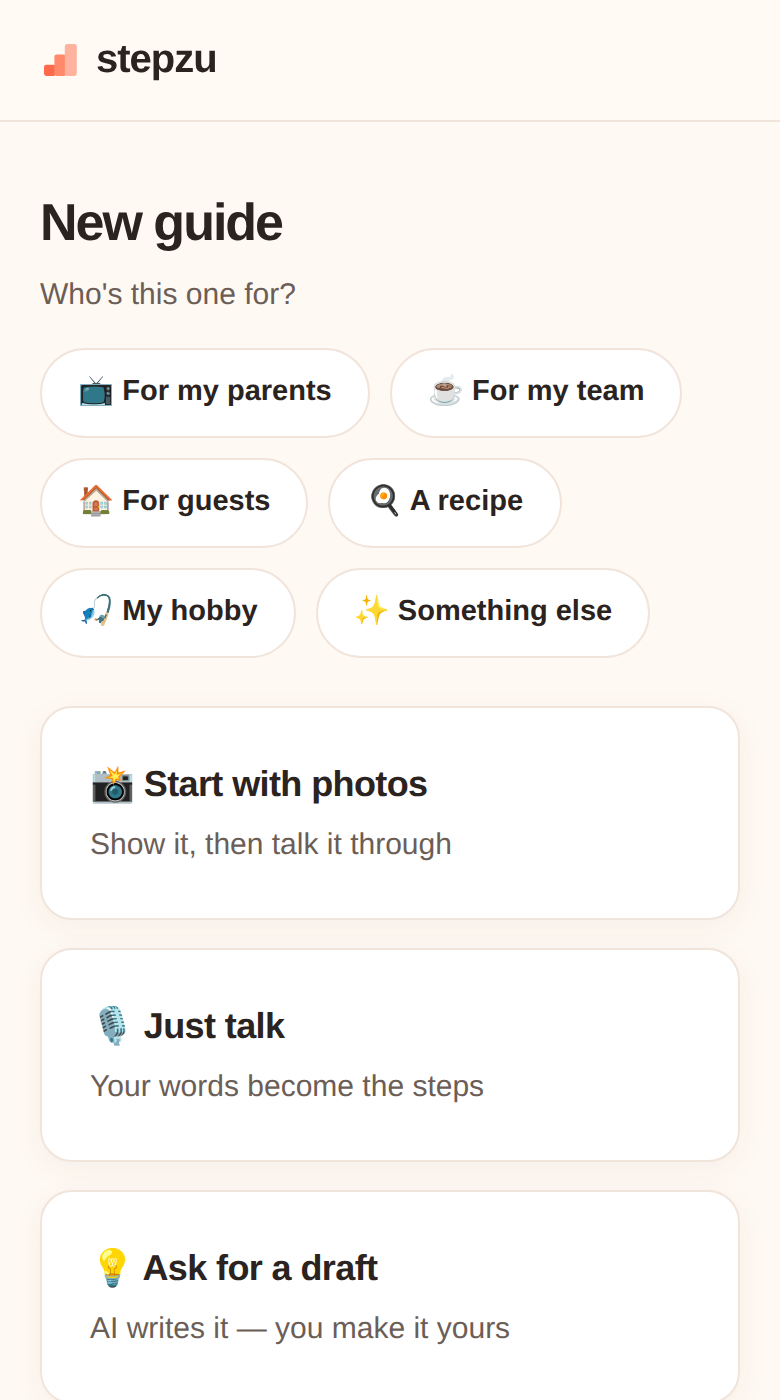 Pick "Start with photos"
In New guide, under Create with AI, tap Start with photos — then pull shots from your album or take them right there. AI guides use a spark (you get 3 free each month); writing it yourself is always unlimited.
Pick "Start with photos"
In New guide, under Create with AI, tap Start with photos — then pull shots from your album or take them right there. AI guides use a spark (you get 3 free each month); writing it yourself is always unlimited.
Pick "Start with photos"
In New guide, under Create with AI, tap Start with photos — then pull shots from your album or take them right there. AI guides use a spark (you get 3 free each month); writing it yourself is always unlimited.
Step 3
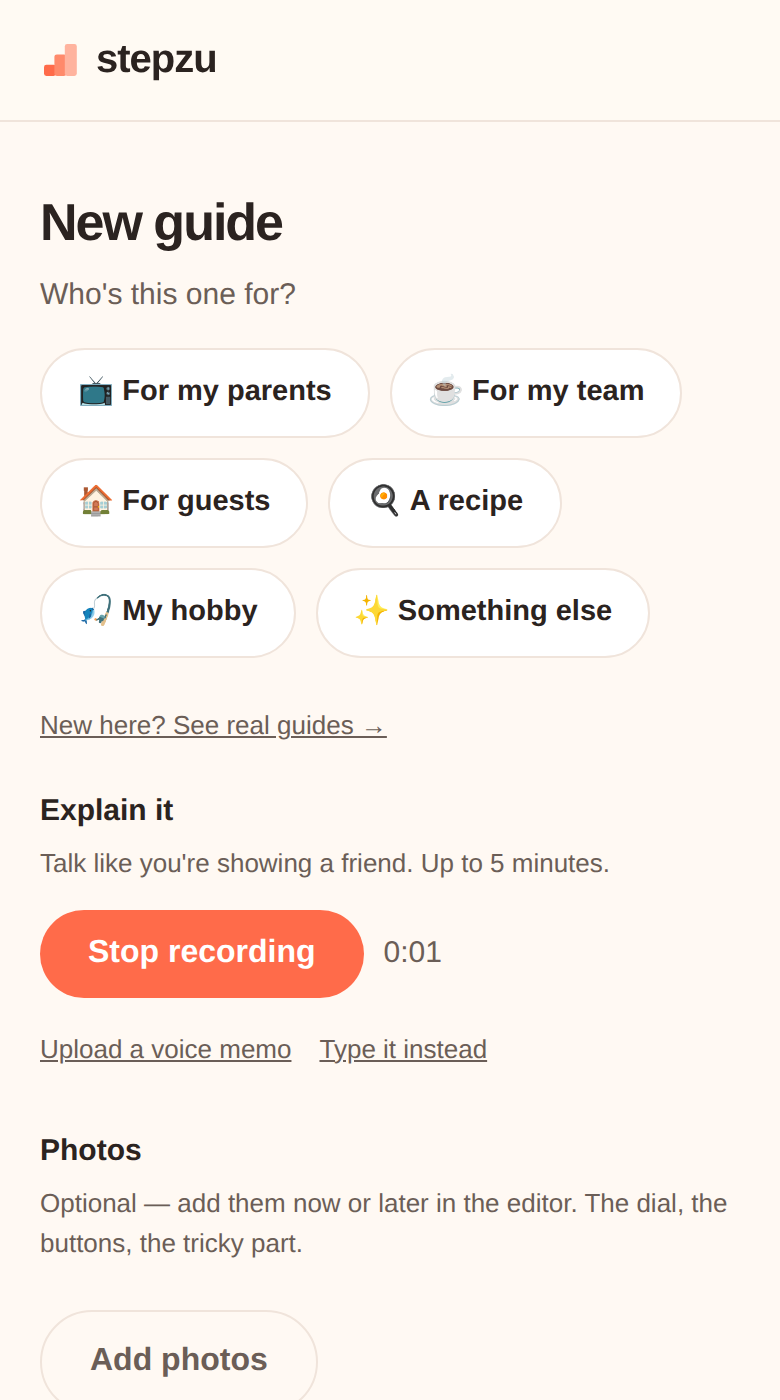 Talk them through
Hit record and point at what we're seeing: "this dial goes to 180, it clicks." The small details are gold. Rather write? "Type it instead" works too.
Talk them through
Hit record and point at what we're seeing: "this dial goes to 180, it clicks." The small details are gold. Rather write? "Type it instead" works too.
Talk them through
Hit record and point at what we're seeing: "this dial goes to 180, it clicks." The small details are gold. Rather write? "Type it instead" works too.
Step 4
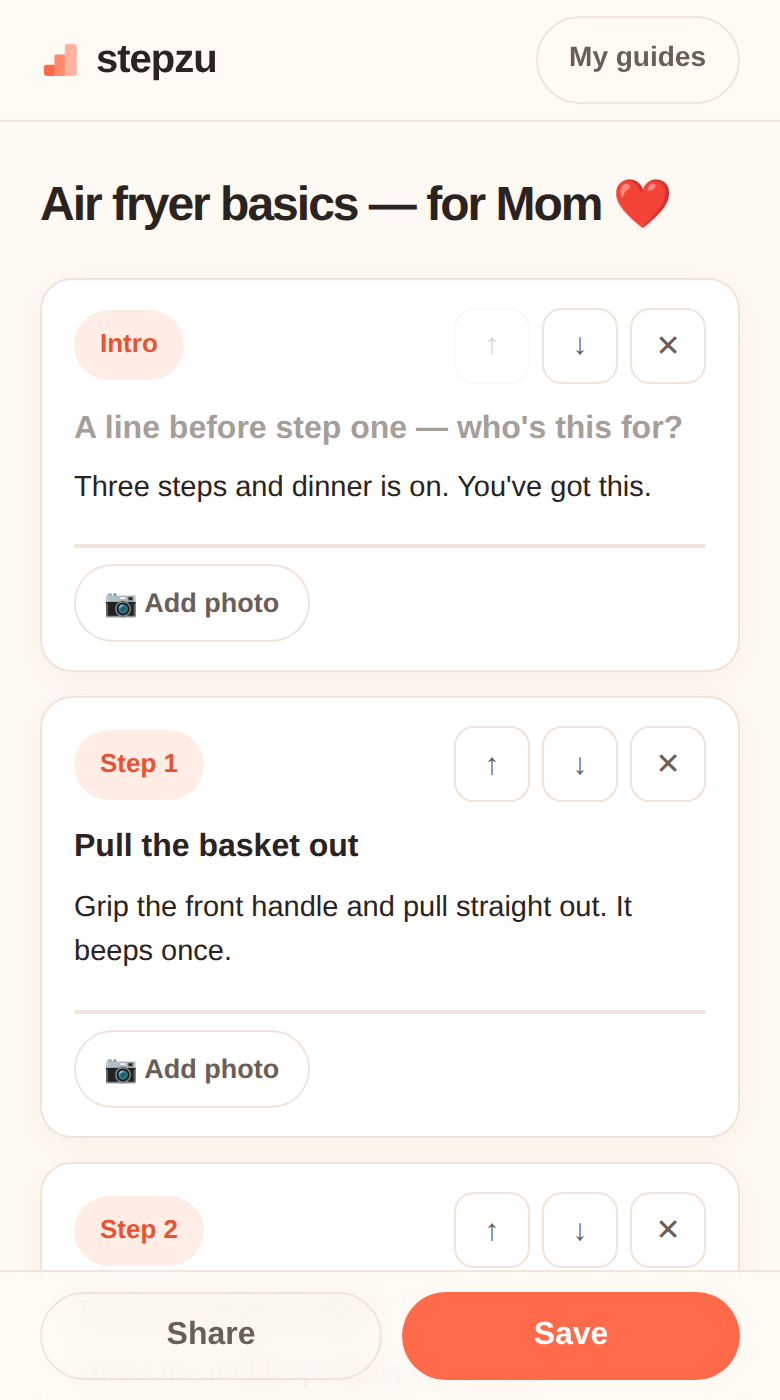 Let it build, then tidy
In about a minute you get a draft with your photos matched to steps. Reorder, retitle, fix — it's your guide.
Let it build, then tidy
In about a minute you get a draft with your photos matched to steps. Reorder, retitle, fix — it's your guide.
Let it build, then tidy
In about a minute you get a draft with your photos matched to steps. Reorder, retitle, fix — it's your guide.
⚠️ WarningGive it one read before sharingAI drafts can misread a photo. Ten seconds of checking saves a confused phone call.
Step 5
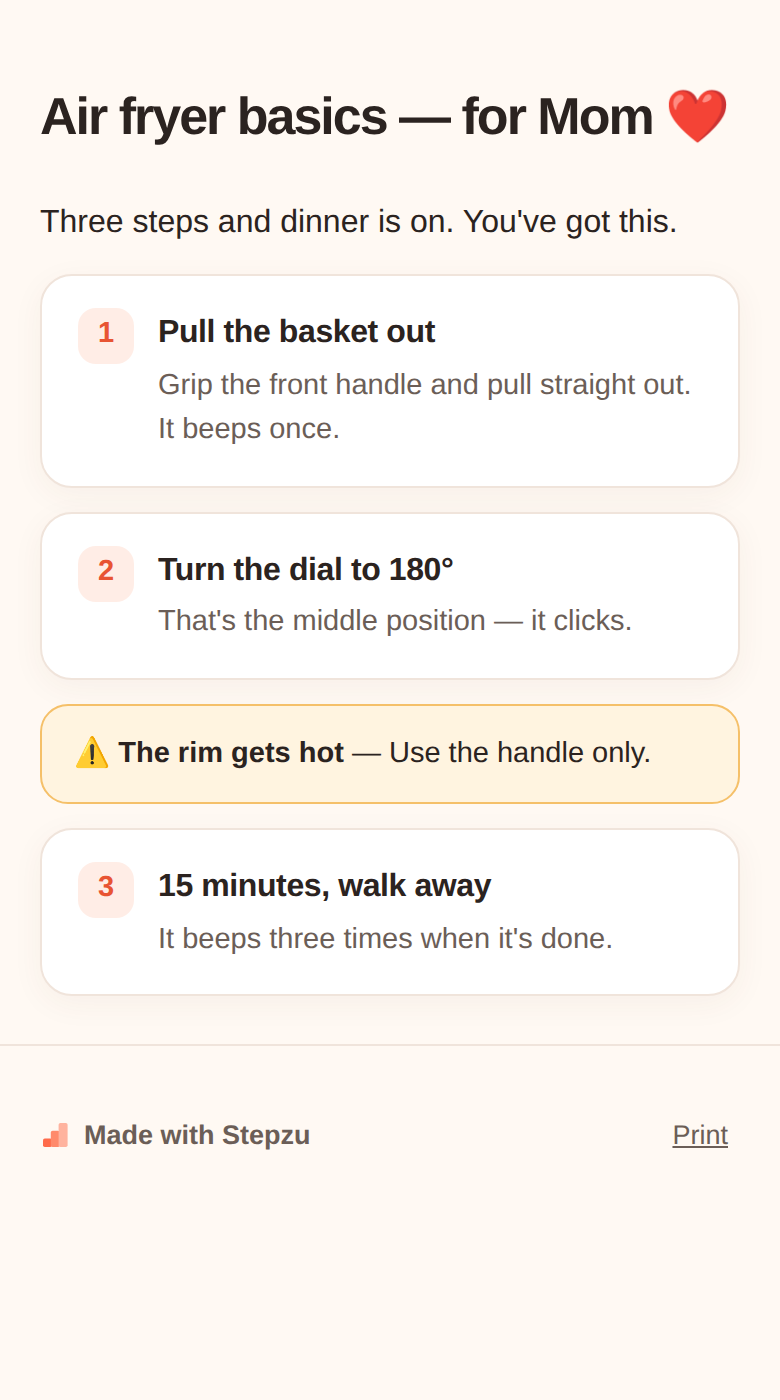 Share the link
Publish it privately and send the link. No app, no account — it just opens.
Share the link
Publish it privately and send the link. No app, no account — it just opens.
Share the link
Publish it privately and send the link. No app, no account — it just opens.
Put what you know, your stories, or your favorite things into cards. Share them with a link anyone can open, no account needed.
Start on Stepzu